District Training
District TrainingPowered by Ike

Meet IkeDistrict's Fitness Assistant

Your District coach builds the plan. Ike runs it with you and adapts to your week.
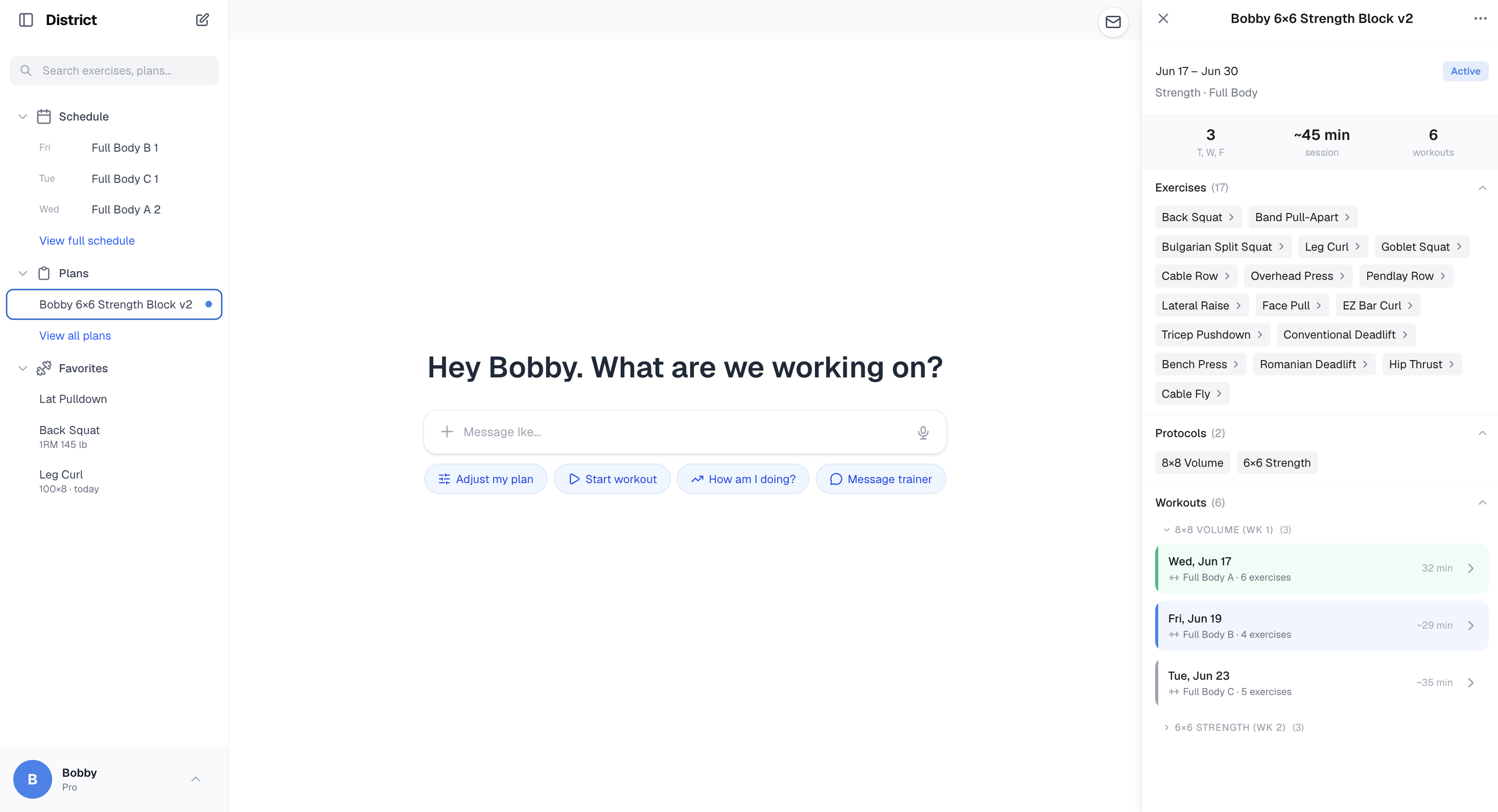
District on desktop — plans, chat with Ike, and your live training block
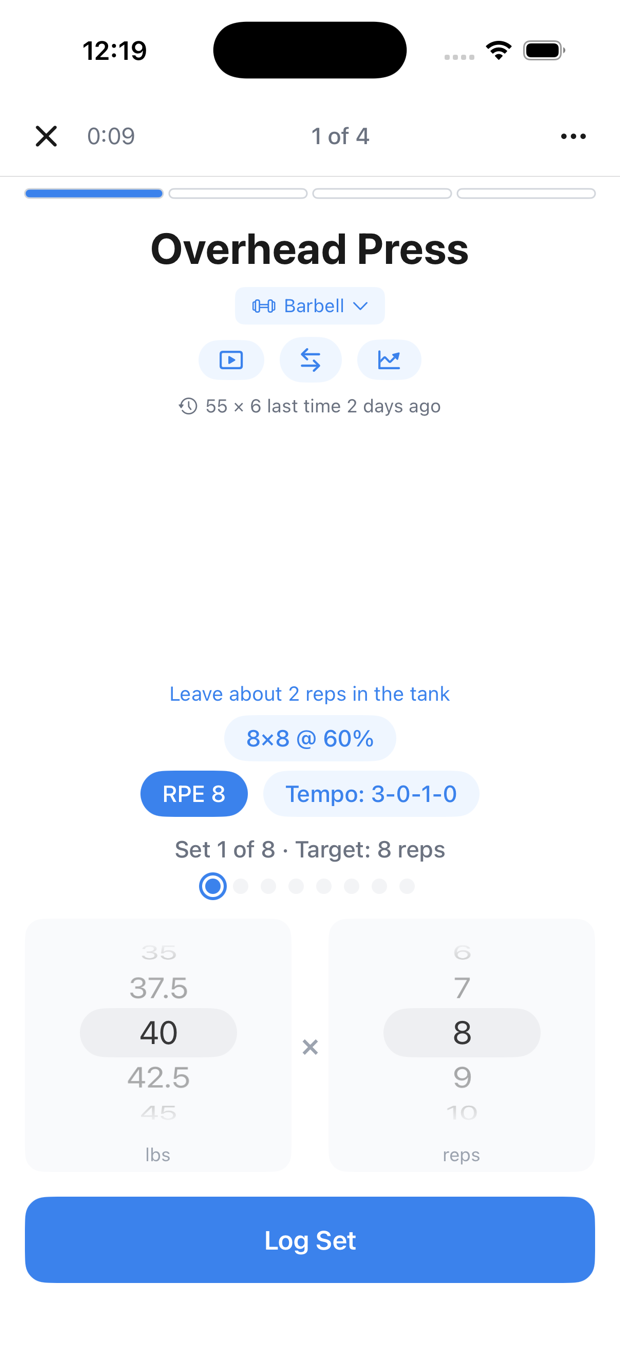
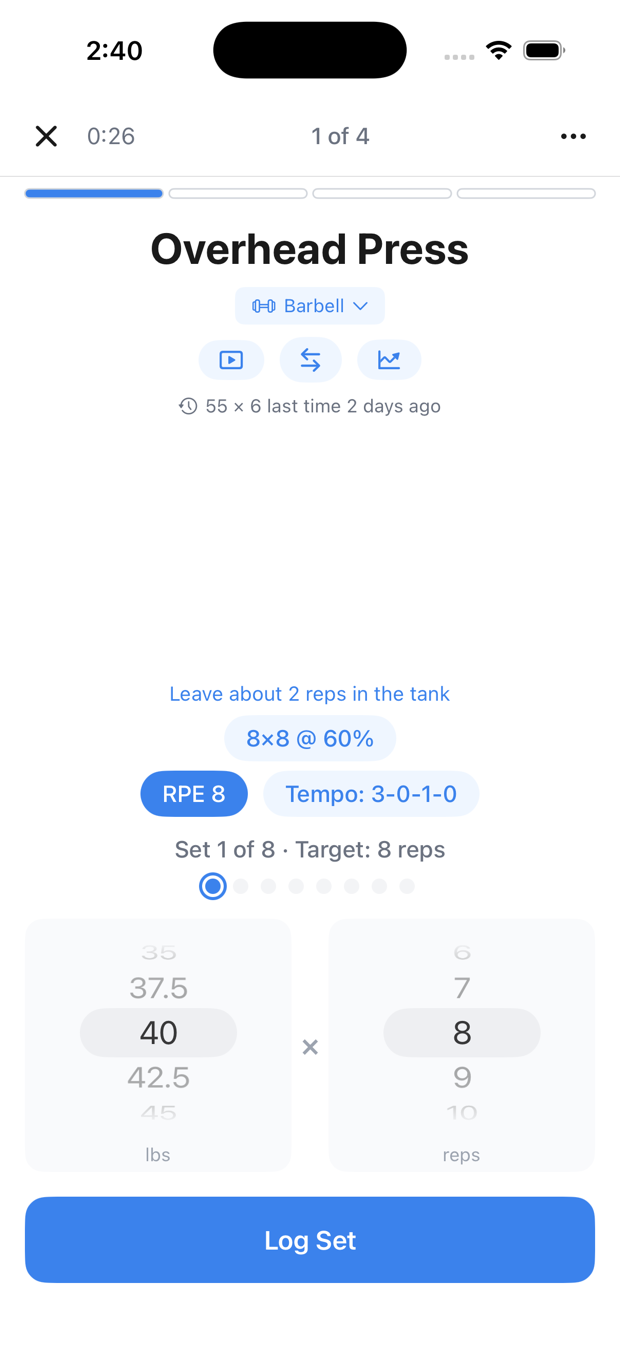
Logging a set mid-workout on iPhone
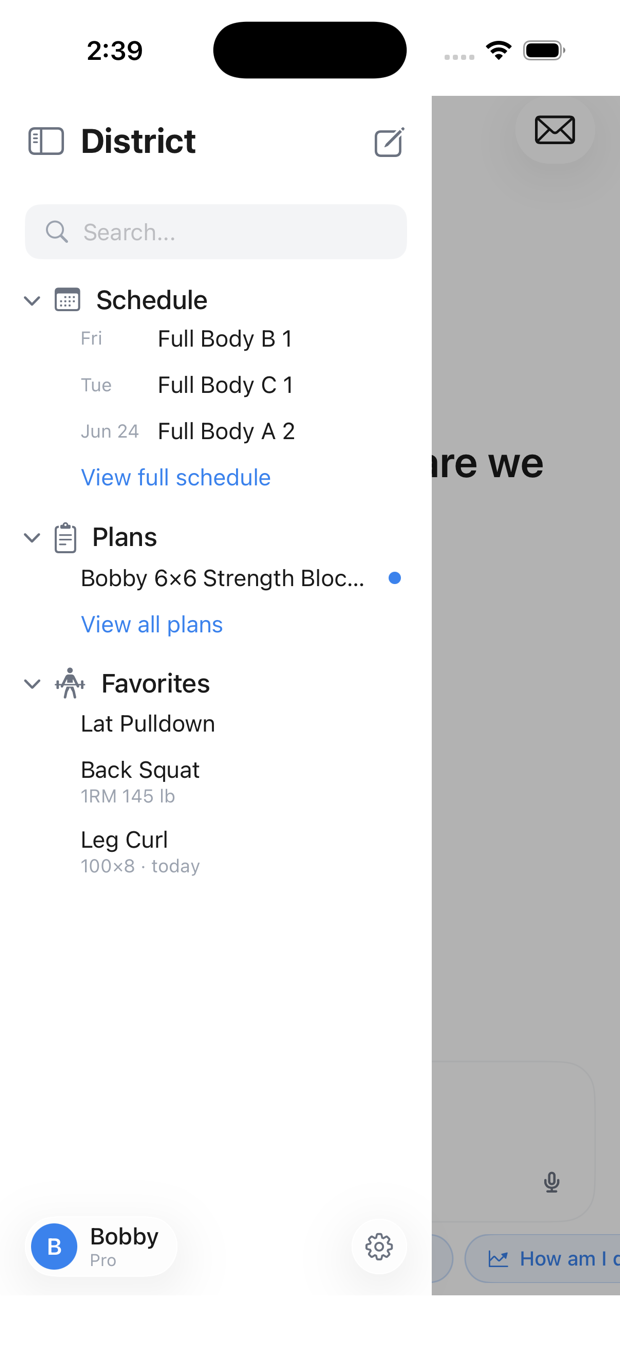
District — schedule, plans, favorites
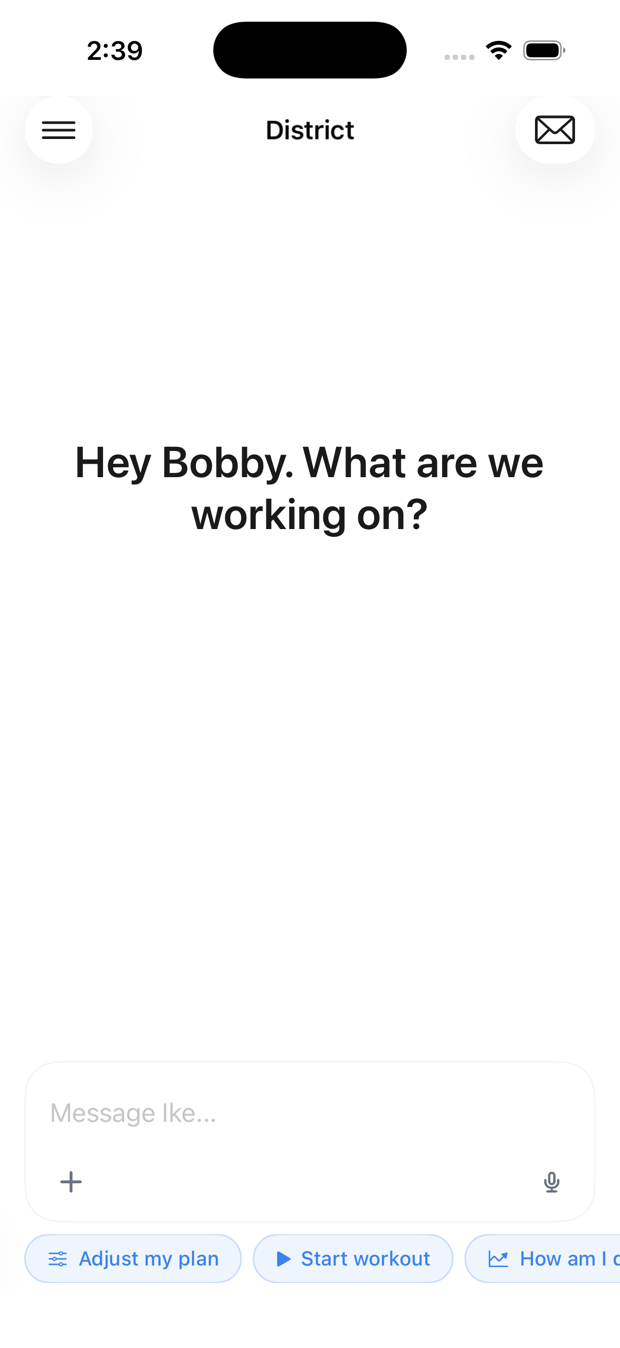
Chat with Ike — Hey Bobby, what are we working on?
Logging a set mid-workout — Overhead Press

Get started in minutes

1
Your coach invites you by emailNick sends a “Join” invite straight to your inbox — keep an eye out for it.
2
Tap “Join” — that’s itYou’re signed in and connected to your coach automatically. No code to type.
3
Quick setupTell Ike your training days and anything to train around — about a minute.

Then start your coach’s plan, or tell Ike your goal.
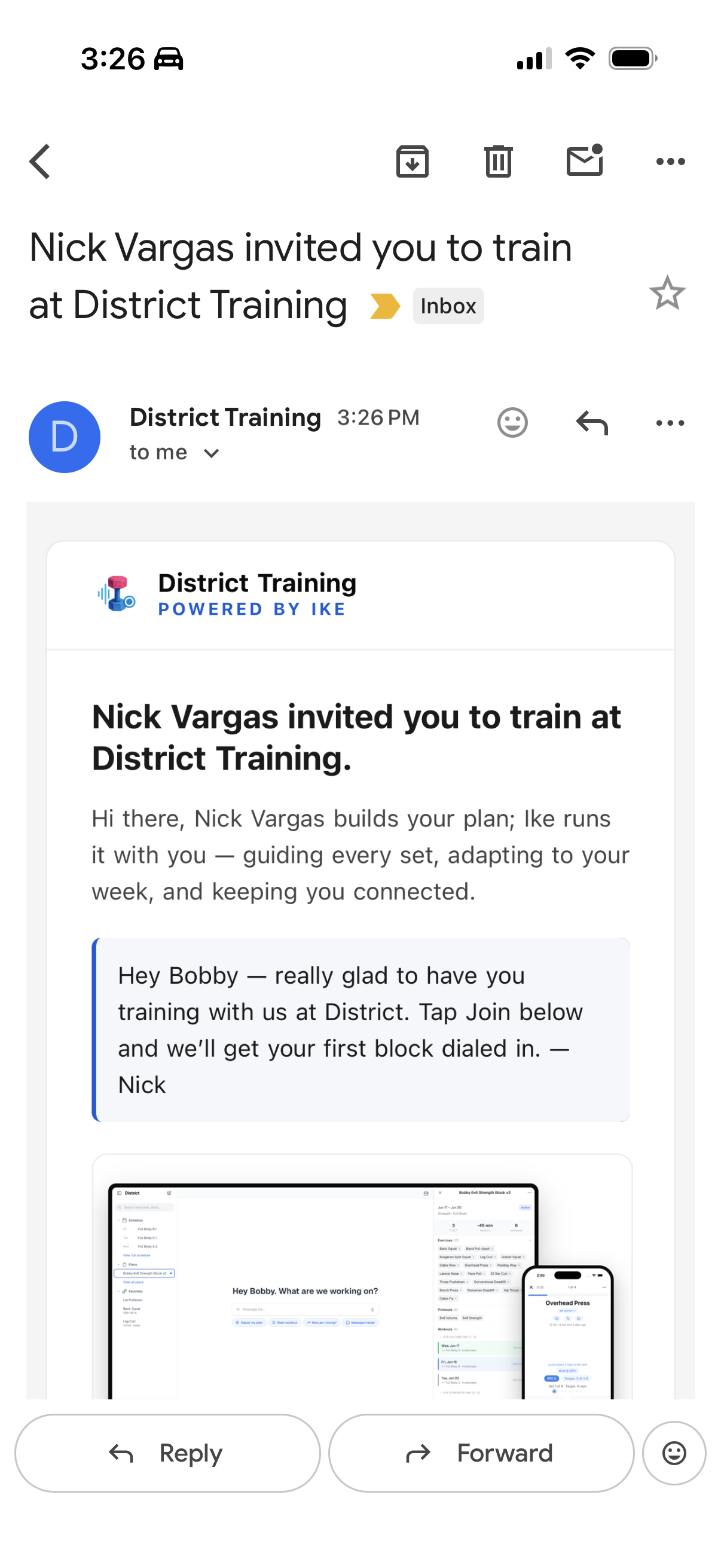
The invite email from your District coach — “Nick Vargas invited you to train at District Training” — in the Gmail app
The invite lands in your inbox
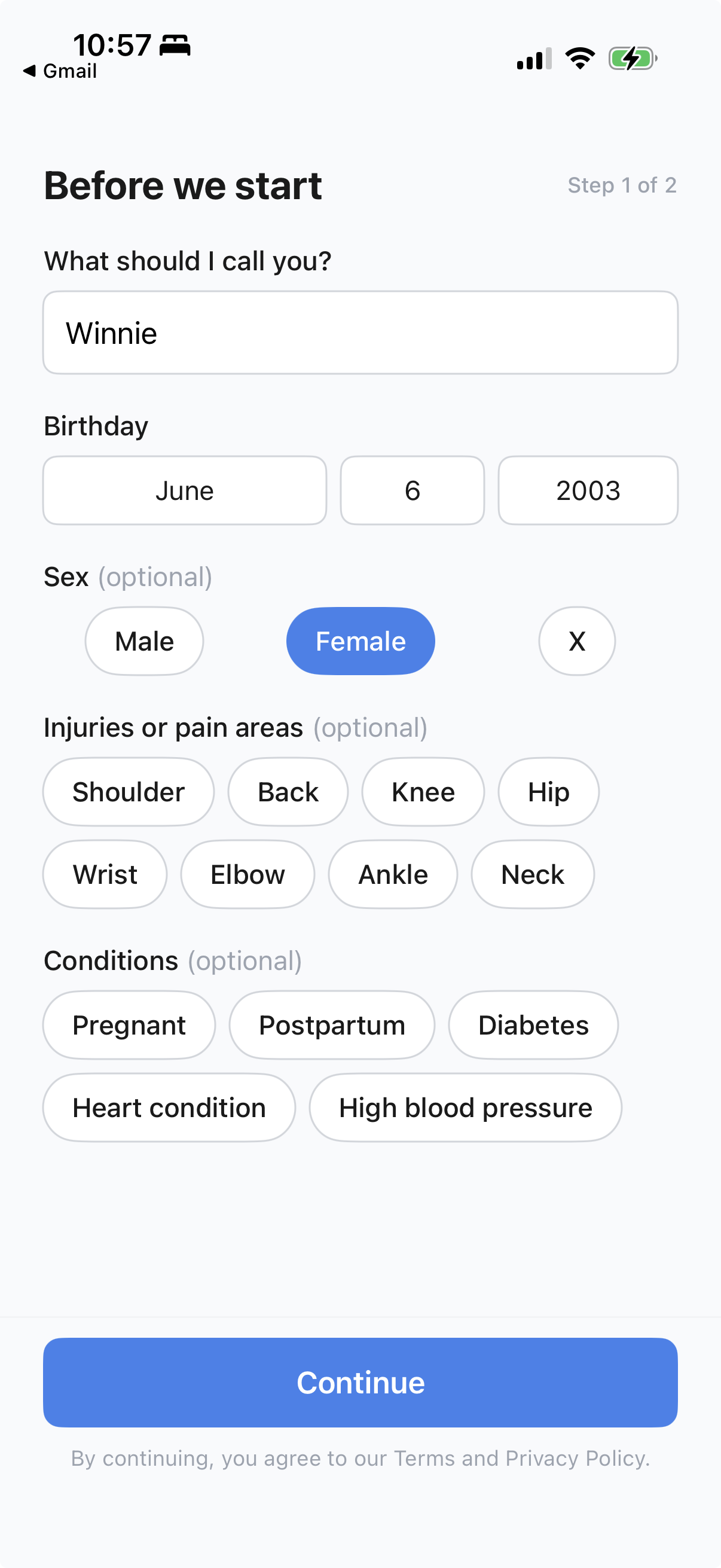
Before we start — tell Ike your name, birthday and anything to train around
Quick setup

Plans that flex to real life

Short on time or stuck with hotel-gym dumbbells? Tell Ike and it adjusts today — without breaking your coach's plan.
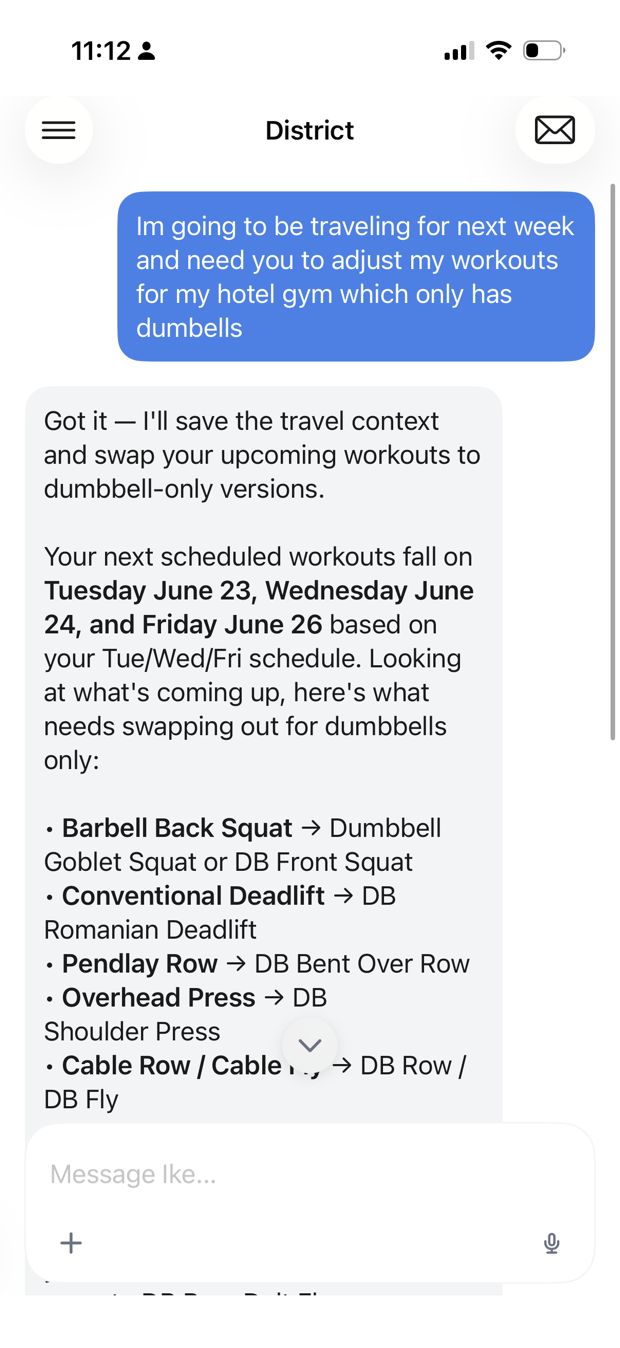
"Adjust today's workout to 20 minutes." "Only dumbbells this week — I'm traveling." "Swap the back squat for something easier on my knee."
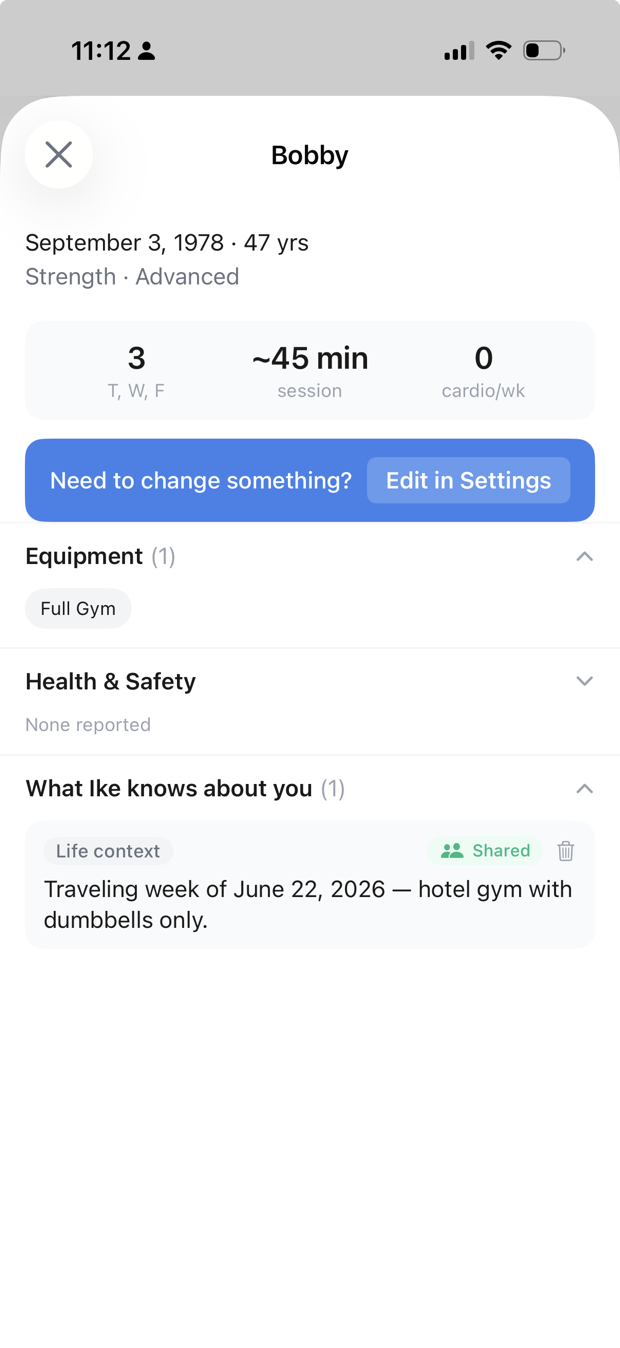
Bobby tells Ike he is traveling with hotel-gym dumbbells; Ike adapts the upcoming workouts
Tell Ike — it adapts
Ike saved the travel context to your profile, shared with your coach
Remembered for next time

Guided through every set

Start today's session and Ike walks you through each lift — target weight, reps, RPE, and tempo — logging as you go.
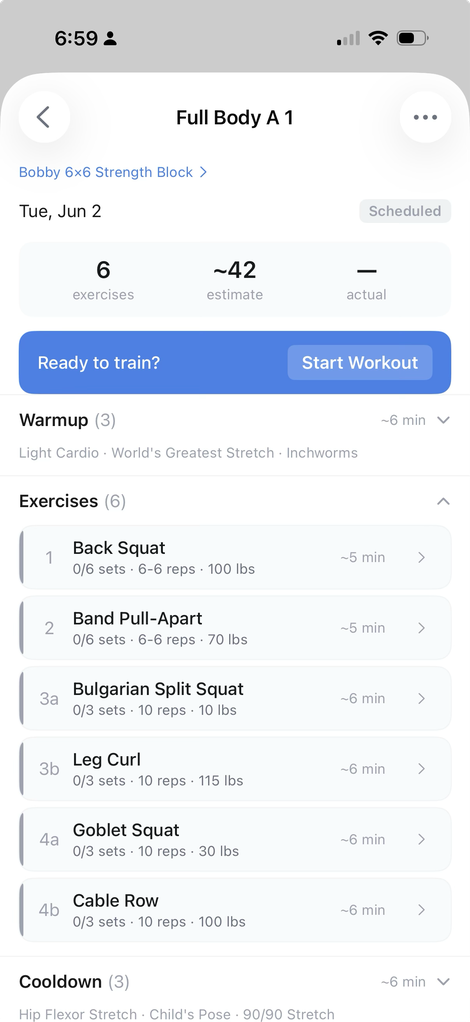
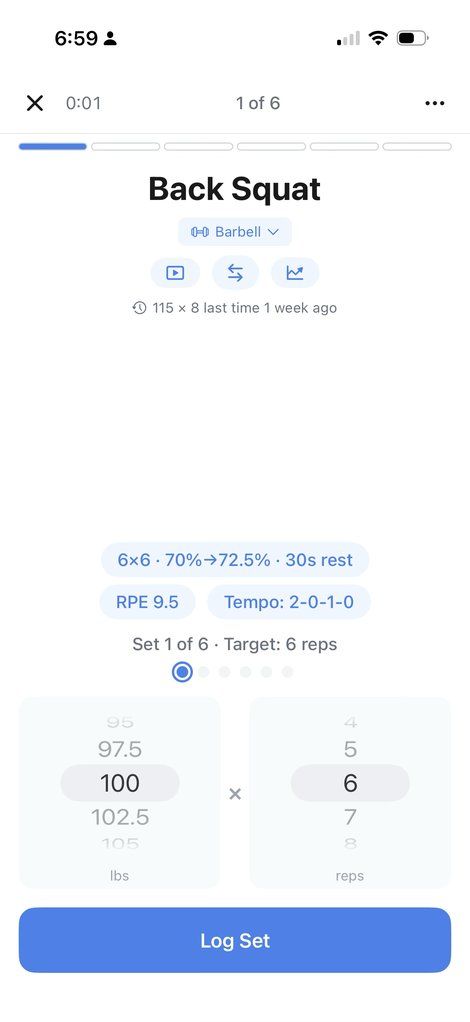
  • See your coach's exact prescription per set.
  • Log weight and reps in a tap; Ike adjusts what's next.
  • Tap any movement for a 1-tap video tutorial.
Today's workout
Today's session
Logging a set
Log each set

See what's working

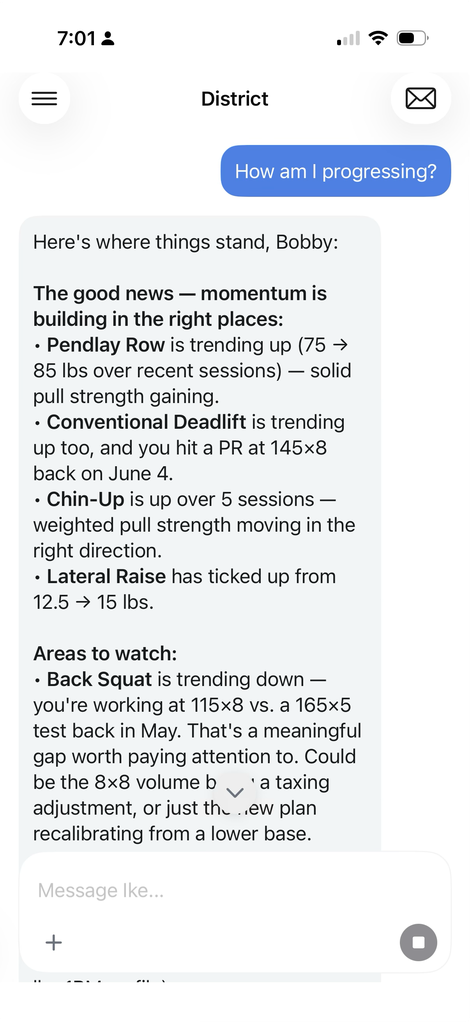
Ike tracks every set and surfaces the trends — what's climbing, what's stalling, and where to push. Just ask.
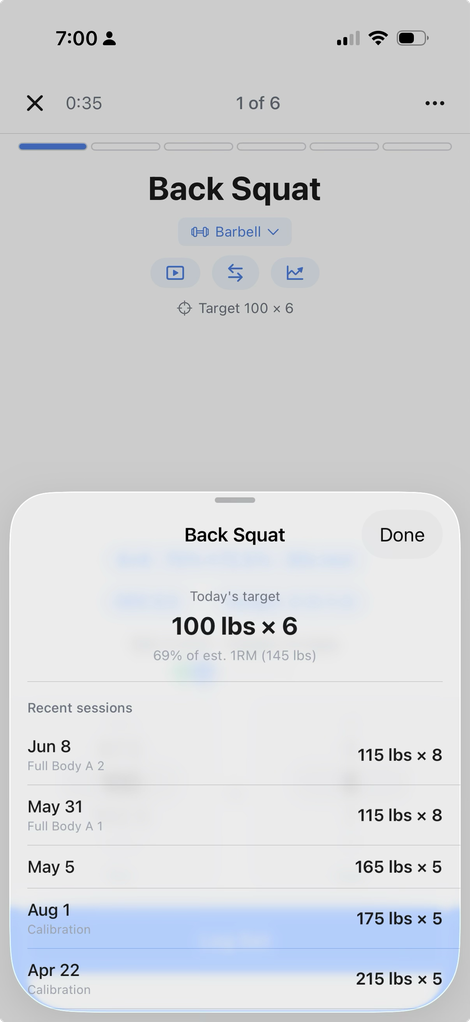
  • Per-exercise history, 1RM estimates, and PRs.
  • Plain-language progress check-ins on demand.
Progress analysis
"How am I progressing?"
Exercise history
History & trends

Find your training type

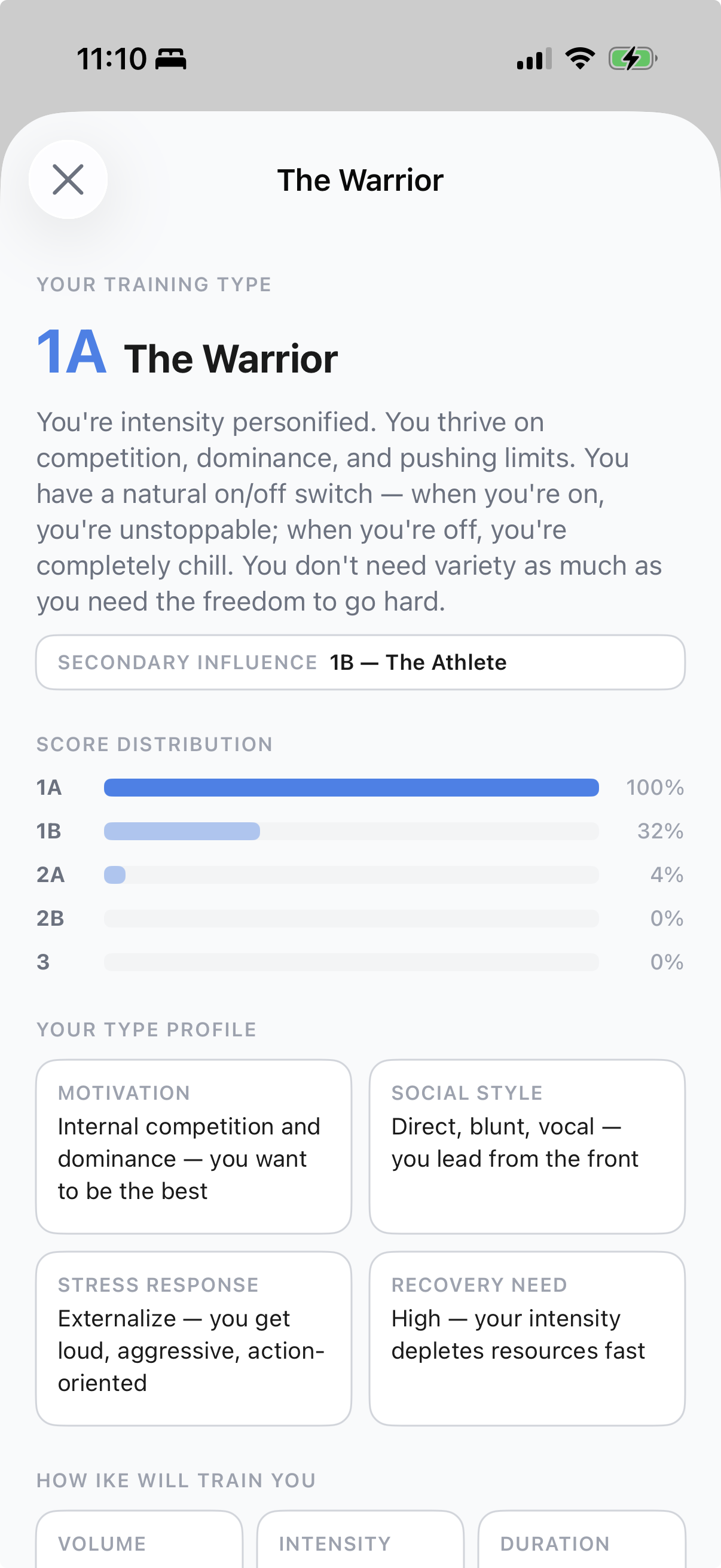
Right after setup, a one-tap assessment reads how you’re wired — what drives you, how you handle pressure, how you recover. Ike programs to your type, and shares it with your coach.
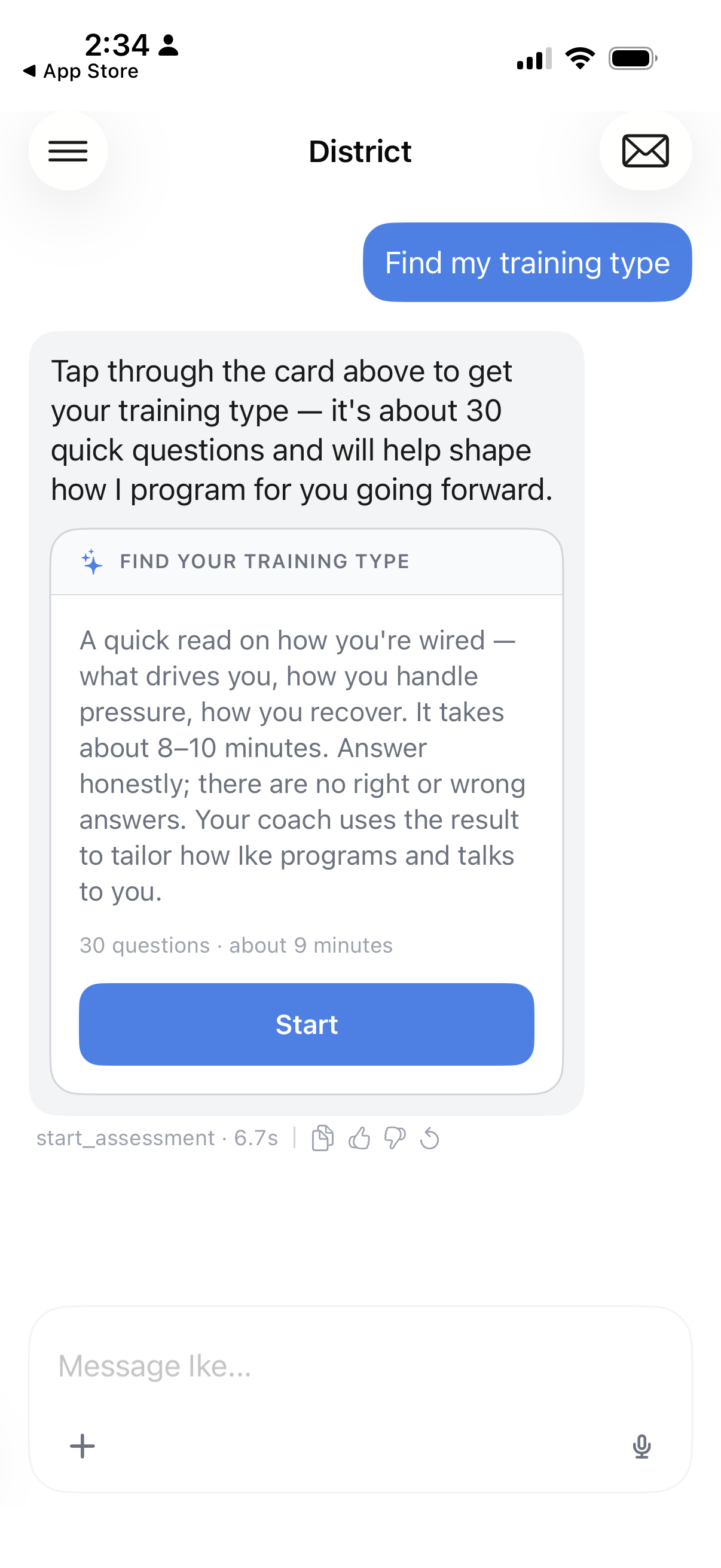
  • About 30 quick questions, ~9 minutes — answer honestly, no right or wrong.
  • A clear type plus how Ike adjusts your volume, intensity, and session length.
  • Shared with your coach, so you’re both on the same page.
Find your training type — a one-tap assessment
A one-tap read
Your training type report — score distribution and profile
Your full report

Questions? Just ask

Tap the inbox in the top corner to reach Ike directly. Stuck on something, not sure how a feature works, or hit a snag? Send a message and we’ll get back to you.
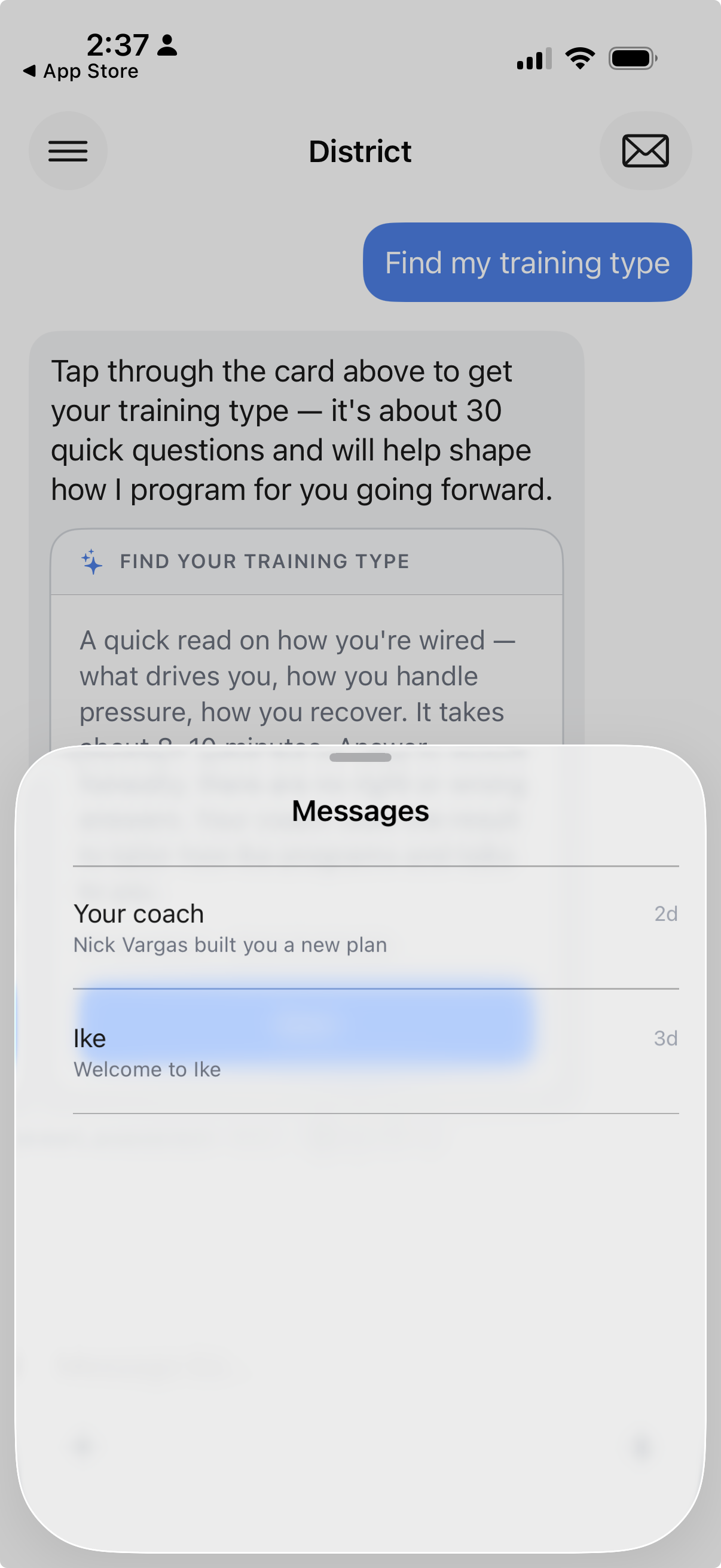
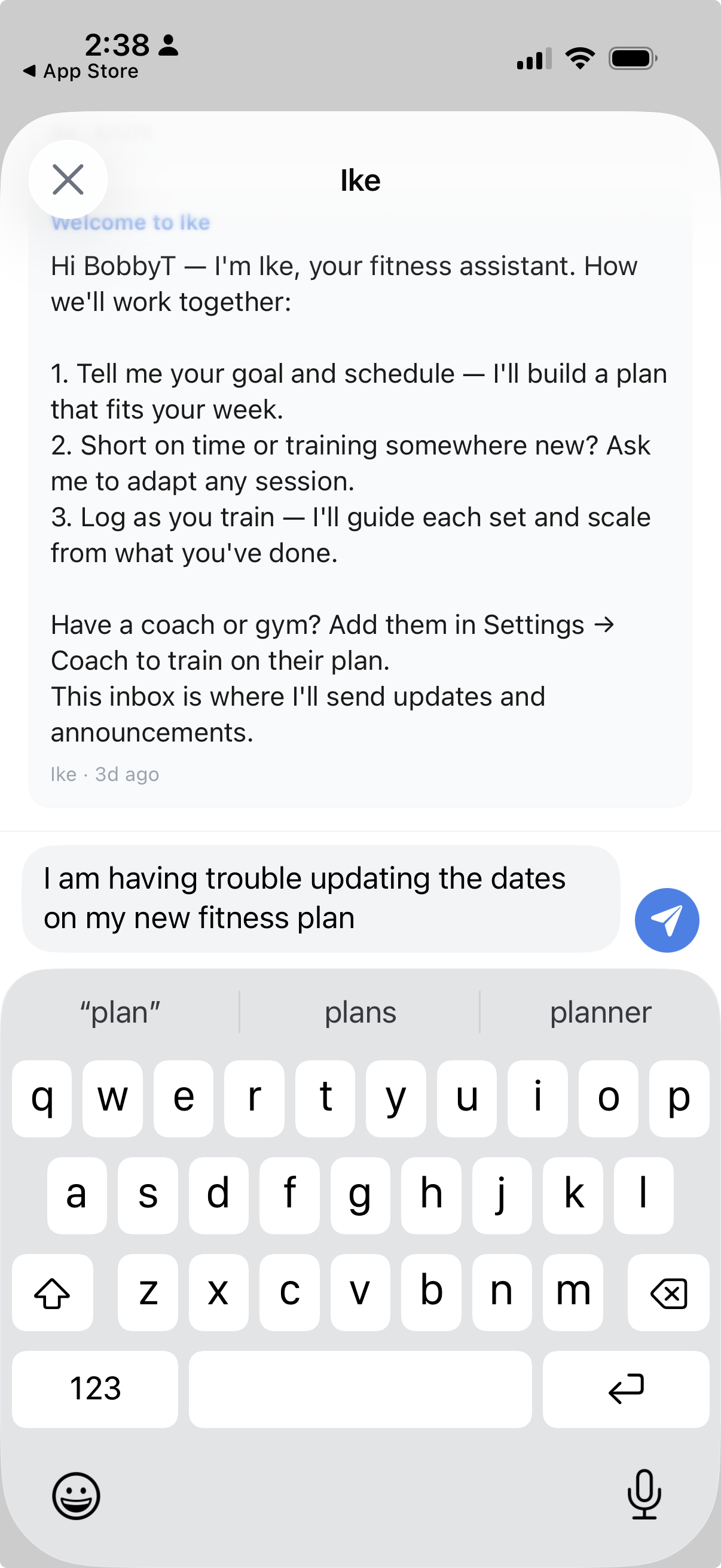
  • Tap the envelope icon, top-right of any screen.
  • Open the Ike thread and type your question.
  • Your coach has a thread here too — for plan updates and check-ins.
Before you ask — Get more out of Ike: 14 tips most members don’t know.
Your inbox — threads with your coach and with Ike
Open your inbox
Asking Ike a question directly in the Ike thread
Message Ike directly